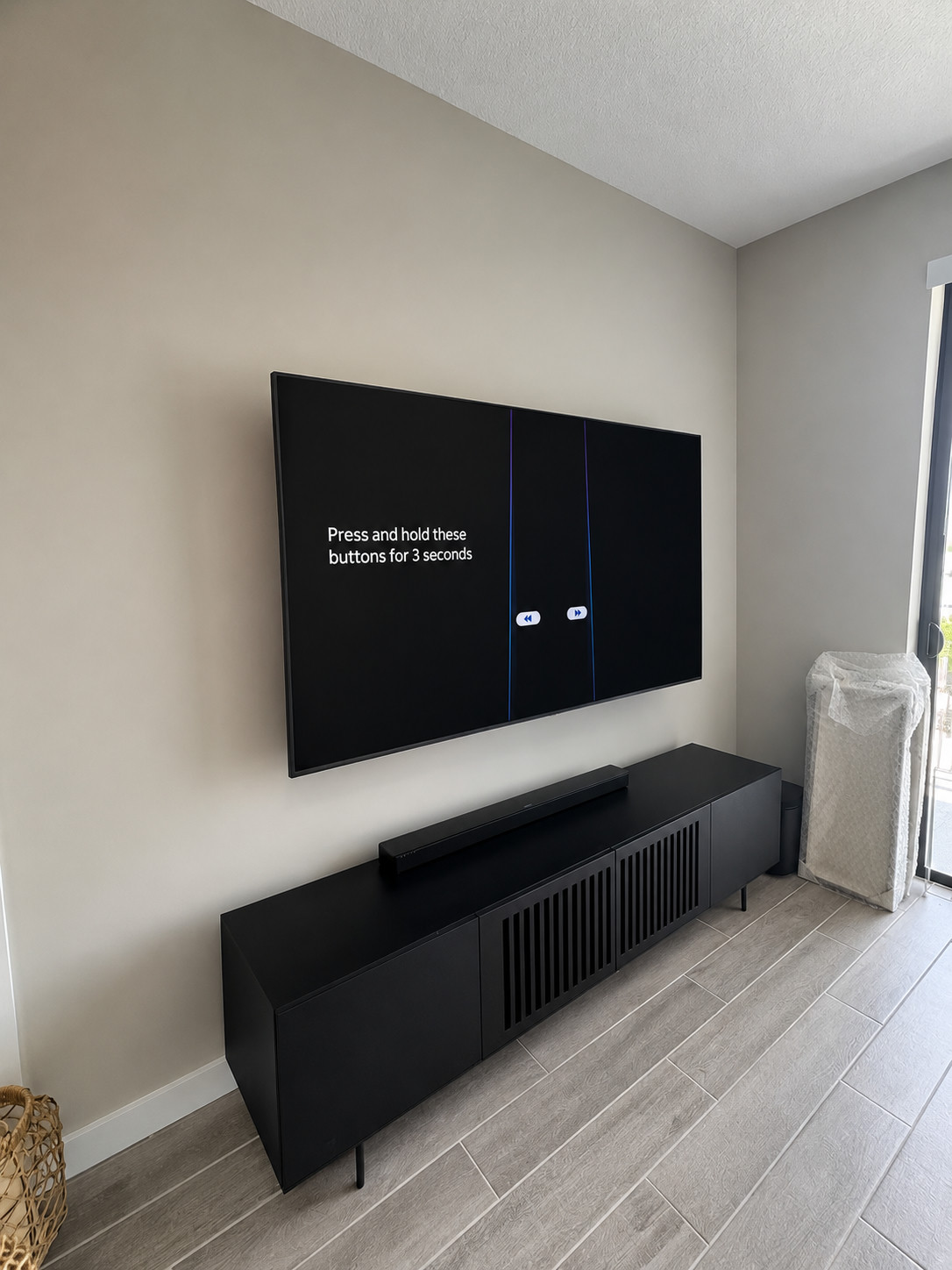
Choose the viewing position first, then confirm the wall, mount, power, and cable path. The best-looking height is not automatically the safest or most comfortable height for every room.
Before mounting a TV, decide the viewing height, check glare, confirm the wall type, and know whether the mount is fixed, tilting, or full-motion. Those choices matter more than people expect.
If you rent, check wall rules first. If you own, think about cord visibility and outlet location before drilling starts. A little planning keeps the finished wall clean.
Set the viewing height from the seating position
Sit where the TV will normally be watched and consider eye level, viewing distance, glare, furniture height, and how much the mount can tilt. Mark the proposed screen outline with removable tape before drilling so the placement can be checked from more than one seat.
Match the mount and wall to the TV
- Verify the TV weight and VESA pattern.
- Confirm that the mount supports the size and motion required.
- Identify the wall material and suitable attachment points.
- Keep vents, ports, and removable cables accessible.
- Account for the extra leverage of a full-motion mount.
- Do not assume masonry or fireplace surfaces use a standard installation.
Plan cords before the screen goes up
Choose between visible cords, a surface cable cover, or a code-appropriate in-wall option. Power cords should not be hidden inside a wall unless the product and installation method are specifically approved for that use. New outlets or permanent wiring may require a licensed electrician.
Have the booking details ready
For multiple TVs, match each screen to its room and mount. Share uncertain details before the visit rather than guessing at the installation type. Keep a clear work area and the product instructions ready. The service page below separates the available work and pricing; the apartment guide covers rental permission and move-out planning.
- TV and mount model numbers, screen size, and the mount hardware you already have.
- A wide wall photo that shows the intended position, nearby outlets, fireplace if present, and media furniture.
- Known wall material and any property restrictions; say when the wall construction is unknown.
- Each soundbar, shelf, extra screen, or cable-finish option you want included.
- Floor, stairs, gate instructions, parking, and any reserved elevator time.